Social Messages

While the ground classes were locked down because of the ice storm, online was plowing ahead. However, fear of losing the internet pushed me to race through my homework and get it in early just in case!

This assignment was to create a magazine cover that addresses a social message. I went for one close to my heart, homeless teens in Indianapolis.

While the photos were not my own, I did change them to be less photographic and I rendered the Indy skyline in Illustrator using the pen tool. I also added a bit of timely humor with the final bullet point. This was done quickly and I can see several things I would change, but the only suggestion the teacher had was that there was too much empty space a the bottom. My mind was seeing Psychology, Medical or topic magazines as an example, as opposed to Martha Stewart, People, etc., and they have more “white space”.

Here is the project overview: Garvin_W4A2_Report

And the final layout:

Ice Storm!!!

The first week of Feb. I think we had an ice storm that beat all within living memory. It also closed down school for a few days, which gave me my first break this quarter. It was a hugely welcome break, but I ended up working harder busting up ice on the driveway. We had 6 – 8 inches of sleet/ice on every level surface. This stuff was hard as rock. My brother was even able to drive a tractor on top of it!

The most harrowing part was using a mallet to bust 4 inches plus of ice off of Lainey’s new Lexus. It makes me shudder even now and has made me determined to tear down my studio in the garage so she can bring the car inside next winter. All three of us worked hard on the drive just to clear a path. Then it snowed. The sky just kept on giving.

That ice stayed around and was a hassle for 2 weeks before unseasonably warm days (50 – 65F) worked their magic on it. If it hadn’t, the piles would have stayed until Spring!

Week 3 Field Trip

This week the field trip was to choose a poster at http://americanart.si.edu/exhibitions/online/posters/aa.html.

I chose Rosie the Riveter and learned much more than you might imagine! This poster actually has some very interesting facts surrounding it! This research may be the moment where I fell in love with posters in relationship with art history. Fascinating!

J. Howard Miller (ca. 1915–ca. 1990)
Westinghouse for War Production Coordinating Committee
We Can Do It!  ca. 1942
photolithograph
55.9 x 43.2 cm (22 x 17 in.)
National Archives, Washington, D.C.

Retrieved from: http://americanart.si.edu/exhibitions/online/posters/aa.html

Rosie the Riveter – even though she was not originally an icon of my era, I grew up very familiar with this particular image of her because it was re-discovered in the 1970s and then given the title of “Rosie the Riveter”. Something interesting is that the woman whose photo was used in this photolithograph only worked at a factory for 2 weeks and then quit to find a job at a counter in a store for safety reasons. She also did not know she was the woman in this poster until much later in life and then insisted that she was not really Rosie when people would call her that. She lived into her 80s signing posters and happy to have been an unwitting part of history.  She passed away in the final week of 2010.

This poster was originally used by Westinghouse to encourage women to work in the factories and support the war effort.  In 1970 it was resurrected, called “Rosie the Riveter”, and became an icon of the feminist movement.

The style looks like it draws its influence from the “Poster Style (Plakatstil)”. It uses flat colors and is simplified in style. This style was starting up in Europe prior to the war and was a fresh look following the flowing lines and detail of the Art Nouveau posters.

Incidentally, the real Rosie was painted by Norman Rockwell for the Saturday Evening Post to commemorate the women helping with the war effort. She was a real riveter and her feet are on a copy of Mein Kampf, Hitler’s autobiography/ideology.

Retrieved from: http://www.pophistorydig.com/?tag=norman-rockwell-rosie-the-riveter

The Boston Globe. http://www.boston.com/bostonglobe/obituaries/articles/2010/12/31/geraldine_doyle_inspired_rosie_the_riveter_poster/

Week 3 Web Quest

Greatsite.com http://greatsite.com/ancient-rare-bibles-books/bibles/1846harper/

The Harper’s Illuminated and New Pictorial Bible – a huge event in printing mentioned in our reading caught my attention so I looked up more information about it. This site explains it and shows some pictures.

Here are some more photos: http://www.windmillministries.org/Antique-Family-Bible-Store-231G.htm

Fonts In Use –http://fontsinuse.com/

This is a fun site that allows you to look up a typeface and then see examples of where it is used and other pertinent information. Since we are studying and using Helvetica to design in my Adv. Typography class, the author’s rant on the boring design of Helvetica caught my attention:

http://fontsinuse.com/the-typographic-monotony-of-american-retail/

How Stuff Works: Stone Lithography – http://entertainment.howstuffworks.com/arts/artwork/stone-lithography.htm

This is a wonderful demonstration of how stone lithography is created. You can watch a master lithographer at work to see the whole process.

The Artists – http://the-artists.org/

A site for anyone interested in art movements and artists. You can search by the artist’s name or the movement for more information.

For example, if you search for “art nouveau” then you get a listing of artists in that time period. It is a very good reference site.

Just for the fun of it:

Typography for Lawyers:

http://www.typographyforlawyers.com/

Posters!

The Design History class has been studying posters and this week we were to design one that announces a social event. I used my own photography and manipulated it in Illustrator.  I then sampled the photo colors to make the background. We were not being graded on creativity, rather if we can get the information across clearly and concisely.

Field Trip – Bodoni Typeface

Typography by Alex Smith

Image retrieved from http://www.fontco.com/font-facts/bodoni.php

For my online typographic Field Trip, I chose the above poster, which uses the Bodoni typeface . Bodoni was designed after the work of Giambattista Bodoni, an 18th century typographer. I like the typeface and decided it would be interesting to learn more about it.

Image retrieved from http://www.fontco.com/font-facts/bodoni.php

For one, it is definitely a readable, Modern, serif type. There are many versions of this typeface as typographers have reworked it over the years. Some versions of it degrade when used in body copy, but there are a few fonts that can be used in body copy as well as headings, posters, etc.

We are all used to using Times New Roman, so in comparison, this serif typeface is smaller and more condensed. When analyzing the font you can see there is a distinct difference in the serifs with the Bodini serifs being crisp and direct, more flat (slab) and without brackets. Also the ears remind me of Pluto’s ears!

Funny, but now that I have made that association it has stuck in my head. Doesn’t the ear on the “g” above look like Pluto’s ear below? They may have even used a version of Bodoni in the text of Pluto’s name. Even though the O is fatter, it still looks pretty close, even as it is styled. Now I am going to be looking at Disney characters to see if they derive some inspiration from typography.

I think this typeface is saying “I am easy on the eyes, clean and crisp. What you see is what you get, no surprises.” It is a very up-front typeface.  This would be used in a design that is meant to be easily read and understood with no hidden agenda. Advertising is a good use of this typeface.  You might be surprised at how often you’ve seen it and never realized it. As an example: Bodoni has been used in posters such as the one for Mamma Mia!

Magazine Layout

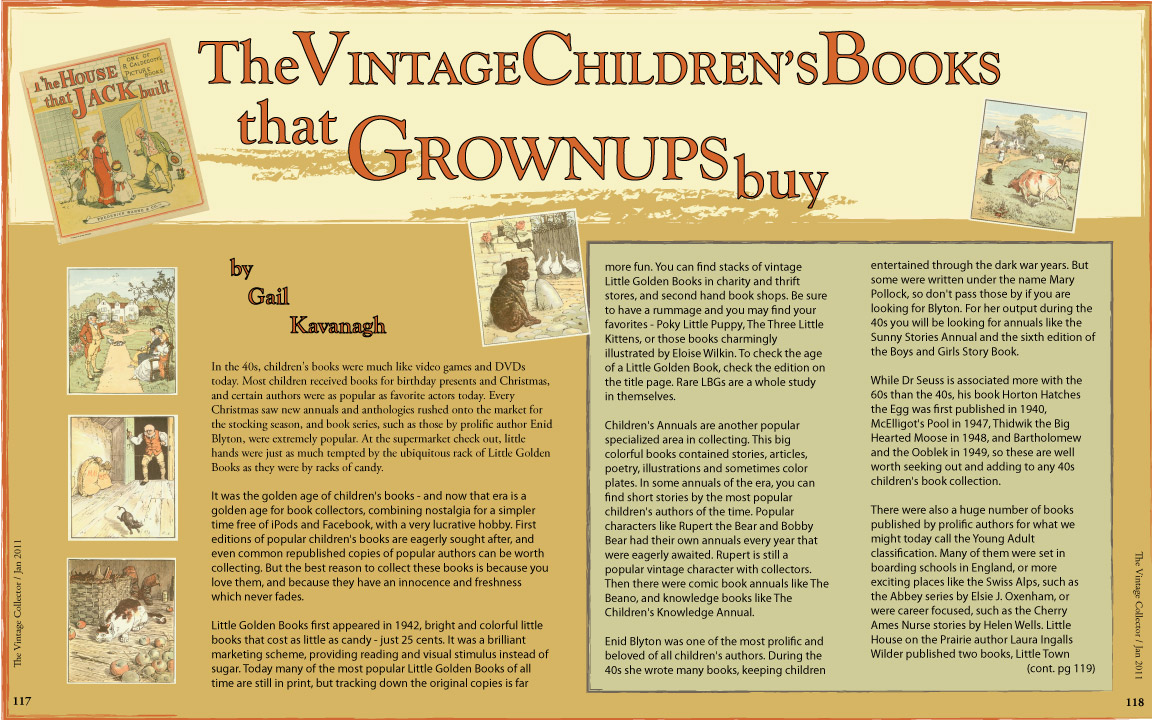
Since this week was about typography, we were required to create a magazine layout consciously using type.  I could not help it, it was such fun creating my calendar a few weeks prior, that I reached into the work I had done with the vintage children’s books and went from there. So if this looks familiar, it is because it is similar to one of my calendar pages and plays off the book “The House that Jack Built” from The Gutenburg Project (a site I have fallen in love with!) However, it was not a previously created homework piece! I want to be very clear on that!

For a full description of the project, feel free to click on the pdf link:

Garvin_W2A2

Create Your Own Type

I don’t know what I was thinking… it has been an exciting idea in the back of my mind to create my own handwritten type for several quarters now, but for some reason I got it in my head to go a different way and do something totally different. The first several weeks of this quarter were so overwhelming in the amount of work assigned, that I think I was concerned that I could not give it the attention I wanted to give it, so I chose to challenge my Photoshop skills. However, one day I will design my own handwritten type because I really want to.

So… I chose to use “found items” and have rediscovered a love of miniature marshmallows, which are now on my snack list.

The process turned out to be laborious so creating my own font would have been much easier and the lighting on a few of the letters could not be corrected. Since they all had the same light source, I am not sure exactly what happened with those.

Process:

  1. Photograph each individual letter on a black background using specific rules that I set up for width/height etc.
  2. Get into a mini marshmallow war with the roomies to reduce the tediousness of arranging little spongy things in a straight line
  3. Pull image into Photoshop, remove background, adjust lighting, as well as smooth out the edges of each marshmallow!
  4. Eat a few marshmallows to reduce stress
  5. Place them in a grid in alpha order in Illustrator
  6. Toss a few marshmallows to the dogs to reduce stress
  7. Create a background that looks like hot chocolate
  8. Voila – print, mount, done! (Eat a few more marshmallows to celebrate.)

Cat Logos Galore!

In Design Media we are branding a zoo of our choice for the first 5 weeks. Since I am also working with a charitable client that is in cat rescue, I opted to make this project a cat rescue “zoo” and explore some options for my client.

The first step was to write a creative brief and thumbnail many options. I enjoy the sketching!

This slideshow requires JavaScript.